Brick Rigs развивается и после полного релиза: разработчик регулярно выпускает
крупные обновления и патчи. Здесь собраны официальные новости Steam — от последних версий до
важных изменений баланса и новых блоков. Материал обновляется по мере выхода патчей.
Последние обновления
Обновление
Update 1.11 Released!
Update 1.11 is now live on Steam! This release gives the user interface a major overhaul, adds two airstrips to Canyon, adds tons of new math brick functions, introduces Workshop collection support for multiplayer vehicle whitelists, and includes a wide range of smaller improvements and bug fixes.
UI overhaul
The user interface now has a cleaner, more modern look, with improved readability and better use of the available screen space.
Input help
The input help menu is now far more useful. It has its own keybind (T by default), clearer categories, and recognizable icons for most actions. If you want to discover a feature or look up a control, this is the place to go.
[img]https://fluppisoft.com/assets/update-1-11/input-help.png[/img]
Vehicle dashboard
The vehicle dashboard now only shows actions supported by the current vehicle. If a vehicle does not have lights, for example, the headlights button stays hidden. This reduces clutter and makes it much easier to see what a vehicle can actually do.
[img]https://fluppisoft.com/assets/update-1-11/vehicle-dashboard.png[/img]
Camera dashboard
You can also interact with the dashboards at the bottom of the screen while input help is open. From there, you can manage your vehicle camera, free camera, slow motion, and more. The dashboards also show the relevant keybinds while input help is open, so you never have to guess which key to press.
[img]https://fluppisoft.com/assets/update-1-11/camera-dashboard.png[/img]
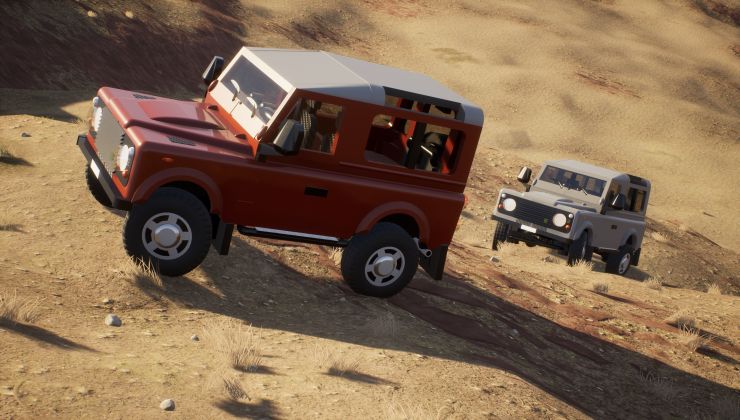
Canyon map airstrips
The Canyon map was missing one very important thing: Somewhere to take off and land your airplanes! So with update 1.11, the map has received two airstrips. But beware, they are not very well maintained, so expect a bumpy ride...
[img]https://fluppisoft.com/assets/update-1-11/canyon-airstrips.png[/img]
More math brick functions
The math brick now has dozens of new operations, including derivatives and integrals, logarithms and roots, logic and comparison functions, interpolation and remapping, clamps, filters, rate limiting, hold functions, and pulse generation. Operations are now categorized, include descriptive tooltips, and show meaningful input names.
[img]https://fluppisoft.com/assets/update-1-11/math-functions.png[/img]
Workshop collections for vehicle whitelist
Multiplayer vehicle whitelists can now use entire Workshop collections. This is much faster than selecting every vehicle individually, and it lets server hosts share and reuse whitelist collections with other players.
Other improvements
Added new scalable bricks
Added a concrete brick material
Added a random weather setting
Added a center indicator to the free-camera spawn box
Made sirens use analog horn input to control the volume
Added unique brick IDs to the editor
Added a seat output channel indicating whether the seat is occupied
Added an opacity setting for exhaust effects
Bug fixes
Made changes to the editor UI scale apply immediately
Made brick tick order respect input channel dependencies, reducing frame delays
Removed the auto team balance option from zombie mode
Fixed the round duration setting being shown in zombie mode
Fixed inventory slot widgets becoming disabled at random
Thanks to everyone who tested the experimental branch and reported issues. Have fun with update 1.11!
Обновление
Update 1.10 released!
As of today, update 1.10 is officially out of the experimental stage and live on the main branch! Here’s what this update brings to the table:
Editor groups and welds
Editor groups and welds are two pretty cool new features for builders. While they share a similar interface in the editor, they serve two completely different purposes:
Editor groups
Allow you to group any bricks together so you can select and modify them more efficiently. This could previously be done via color coding, but editor groups make it much more convenient. They have no effect outside of the editor.
Welds
Allow you to “weld” multiple bricks together in the editor, making them behave as if they were a single brick. Welded bricks do not require connection points and will never fall apart during gameplay. This should make building easier, reduce the number of bricks needed for connections, and allow for even more creativity. However, try to keep your weld groups small — for example, just a bumper or a door — to keep destruction physics satisfying.
[img]https://fluppisoft.com/assets/update-1-10/editor-groups.png[/img]
Pattern scale, rotation and offset
This feature has been requested for a long time — and now it’s finally here! When you select a pattern for any brick, you can now adjust its scale, rotation, and position.
[img]https://fluppisoft.com/assets/update-1-10/pattern-transform.gif[/img]
Unflip and teleport to last respawn point
Finally, you can unflip your vehicles without repairing them again, just like in legacy!
Additionally, there is a new action that respawns your vehicle at the last location you teleported it to. So if you precisely positioned your vehicle for a race using free cam, for example, you can respawn it there again with the press of a button.
Both this action and unflip are bound to the Enter key by default (tap or hold).
New rocket launcher model with sights
Since the old rocket launcher didn’t have proper iron sights or a rail for attachments, I decided to update the entire model. The new version looks cleaner, has a more usable iron sight, and allows you to attach scopes.
[img]https://fluppisoft.com/assets/update-1-10/new-launcher.png[/img]
[img]https://fluppisoft.com/assets/update-1-10/launcher-fire.gif[/img]
Handgun ammo types
A recent update made it possible to select the ammo type used on vehicle guns. Now you can also change the ammo type of handguns on the fly! This is bound to the Y key by default.
With this, you can fire target-seeking rounds from the rocket launcher or incendiary rounds from the BR-15, just to name two examples.
[img]https://fluppisoft.com/assets/update-1-10/br-15-inc.gif[/img]
Admin access on servers
As most of you have probably noticed, there has been a greyed-out admin login field in the match menu for years. This feature has now been implemented, and hosts can allow other users to gain admin rights on their servers via a password.
This is disabled by default and can be enabled when hosting a server.
Performance optimizations
Based on work done by Voultapher, this update introduces some pretty substantial performance improvements. Most notably, spawning vehicles is now much, much faster.
New languages
In addition to all the languages that 1.9 added, there are nine more languages in 1.10:
Italian
Turkish
Czech
Hungarian
Norwegian (Bokmål)
Swedish
Kazakh
Finnish
Thai
Other improvements
Background vehicles in the main menu are back
New X and Y position sensor types
New equal and not-equal math brick operations
Automatically ban players after entering the server password too many times
Bug fixes
Fixed capture points not being reset after warmup ends
Fixed city elevator height not being replicated correctly for clients
Новость
The popular physics sandbox game Brick Rigs has added Native Linux support
A nice surprise, Brick Rigs is another game that recently added Native Linux support and it's quite a popular choice along with it being highly rated.
Read the full article here: https://www.gamingonlinux.com/2025/10/the-popular-physics-sandbox-game-brick-rigs-has-added-native-linux-support/
Обновление
Update 1.9 released!
After several months of development, testing and bug fixing, update 1.9 has finally been released to the public branch! Here is a summary of the changes:
Translations
In addition to English and German, we have translated the game into 12 new languages:
Arabic
Bengali
French
Hindi
Japanese
Korean
Polish
Portuguese
Russian
Simplified Chinese
Spanish
Ukrainian
Since a lot of translations were automated and not reviewed by us or the community yet, we expect there to be a few issues remaining. We will continue to work on improving the translations over time.
Crash Reporter and Bug Tracker
If Brick Rigs crashes, a crash reporter window will now appear. You can choose to send us crash reports, including optional additional information. We have also created a bug tracker using GitHub Issues, available here. These improvements will help us find and fix bugs (especially crashes) more efficiently and effectively than before.
Linux Support
With update 1.9, we are launching the first native Linux version of Brick Rigs. Our goal is to improve performance and stability by avoiding compatibility layers such as Proton or Wine.
AMD FidelityFX™ Super Resolution Support
We have added AMD FidelityFX™ Super Resolution (FSR) as an alternative for systems that do not support NVIDIA DLSS. Like DLSS, FSR renders the game at a lower resolution and then upscales the image to the final output resolution. This can boost frame rates with minimal impact on image quality.
Improved fluid dynamics by separating the calculation of lift from drag
Improved several looping sounds
Lowered minimum camera speed in the editor
Reduced battle rounds to 15
Made enabled search filters more obvious
Made BBCode-formatted Workshop descriptions render correctly
Made smoke effects scale with scalable exhausts
Made vehicles spawning inside of each other less likely
Sort brick tick functions for more deterministic logic
Bug Fixes
Fixed physics behaving unpredictably around the gimbal lock angles
Fixed injured dummies not being healed when revived
Fixed a specific editor spawn box in Bricksville overlapping with buildings
Fixed auto-balancing not working if there is an empty team in battle mode
Fixed vehicle downloads getting stuck at 0%
Fixed some match settings being displayed as zero instead of unlimited
Fixed unstable sorting of servers in the server browser
Fixed unreliable siren cycling
Fixed new item button on UGC browser being shown when the user cannot enter the editor
Fixed inability to remove vehicles with dummies inside
Fixed cursor not being moved to the center when opening the menu in windowed mode
Fixed non-ANSI characters not being displayed in server titles and descriptions
Fixed detonators not breaking off when triggered through a collision
Fixed a bunch of crashes
Обновление
Update 1.8 released!
After several months of testing and bug fixing, update 1.8 is now live! Here is a summary of the most important changes:
Bricks
Spinner Brick
The new spinner brick is a whole new type of scalable. It allows youto create arches and circles at custom angles, radii, sizes andshapes.
[img]https://fluppisoft.com/assets/spinner-bricks/spinner-demo.gif[/img]
Scalable Flaps
Flaps are now also scalable. So instead of two different flaps sizes,there is now a virtually infinite amount of them.
[img]https://fluppisoft.com/assets/scalable-flaps/working-flaps.gif[/img]
Scalable Thrusters
Thrusters are finally fully scalable! I’m pretty excited about thismyself, and it has been requested by the community for years.
[img]https://fluppisoft.com/assets/update-1-8/scalable-thrusters.gif[/img]
Along with that, they also received a new heat glow effect for thenozzle.
[img]https://fluppisoft.com/assets/update-1-8/thruster-glow.gif[/img]
Old non-scalable thrusters are automatically replaced with scalable thrusters upon loading a vehicle. The input scale is adjusted so the thrust remains the same as before.
More Scalables
Besides thrusters and flaps, all of the following bricks are now scalable:
Fuel tanks[/*]
Detonators[/*]
RC bricks[/*]
Math bricks[/*]
Sensor bricks[/*]
Switch bricks[/*]
Exhaust Trail Effect
Exhaust bricks now have a setting to select the desired effect. Sofar there is the old smoke effect along with a new trail effect.
[img]https://fluppisoft.com/assets/update-1-8/exhaust-effects.gif[/img]
Camera and Seat Names andOrder
The display names and order of cameras and seats can now becustomized in the editor. The custom names will be displayed wheninteracting with a seat or cycling through camera modes for example. Theorder in which you could cycle through seats and cameras was sort ofrandom previously. Now you can see and customize it.
New Sensor Modes
The following new sensor modes were added:
Frames per second[/*]
Frame delta time (1 / frames per second)[/*]
Time of day[/*]
Wind speed anddirection[/*]
Altitude over sea level[/*]
User Interface
Color Properties
Color properties received a bit of an overhaul, both on the outsideand inside. Previously, color was stored and saved in HSV (hue, value,saturation) format. Now it’s using the more common 8 bit RGB (red,green, blue) format, which makes it possible to show and enter precisehex color values. Along with that you can now also switch the slidersbetween RGB and HSV mode.
[img]https://fluppisoft.com/assets/update-1-8/color-property.gif[/img]
Numeric Properties
Internally, float properties, vector properties and brick sizeproperties were all merged into the same type. This streamlines code aswell as the user interfaces and allows features to be shared betweenthem more easily. For example, axes of all multidimensional propertiescan now be locked together, and you can toggle between brick units andmeters on all distance based properties.
[img]https://fluppisoft.com/assets/update-1-8/numeric-properties.gif[/img]
Miscellaneous Improvements
Made vehicle spawning asynchronous to reduce multiplayerhitches[/*]
Increased precision of output channel values[/*]
Added fire mode switching for handheld guns[/*]
Added Newton thrust slider to thrusters[/*]
Added experimental HDR support[/*]
Added ability to move sliders more precisely or faster by holdingcontrol or shift[/*]
Bug Fixes
Fixed menu music randomly stopping after a while[/*]
Fixed vehicle whitelist not being loaded correctly when launchinggamec[/*]
Fixed redirector 1x1x1 mesh being rotated 180°, making connectorsnot match up correctly[/*]
Fixed UI scale affecting mini map resolution[/*]
Fixed actuators no resetting position after repairing inmultiplayer[/*]
Fixed inaccurate collision and mass properties on scalablecylinders[/*]
Fixed tank tracks not reappearing on clients after repairing[/*]
Fixed changing frame rate limit not activating the apply button[/*]
Обновление
Update 1.7 released!
Hello everyone!
Update 1.7 is finally live on the main branch! It contains a bunch of new features as well as many other improvements and fixes. Here are the highlights:
Made wheels, text bricks, image bricks, lights and exhausts scalable
Made scalable size adjustable at decimal increments
Added sprocket and idler wheels for tracks
Added flare bricks as a countermeasure against missiles
Added a font selection for text bricks
NOTE: Mods from the 1.6 version may not be compatible anymore. Please remove any old mods to avoid issues.
Патч
Patch 1.6.3 released!
Patch 1.6.3 is now live on the main branch with the following changes:
UI:
Added option to ban offline players via their Steam ID
Made ban management menu accessible through the main menu
Added emoji support for the UI font
Added warnings for vehicle limit match settings
Editor:
Fixed crash when editing Use Custom Exit Location property on seat with other non seat brick selected
Added key bind (Ctrl + N) and dropdown menu option for creating a new file in the editor
Bug fixes:
Fixed item container on canyon battle overlapping with truck wreck
Fixed brick count of spawned legacy vehicles being shown as zero in chat messages
Fixed physics snapping/jolting issues at a certain rotation threshold (usually horizontal)
Fixed some FOV related code breaking on aspect ratios >16/9
Fixed bricks sometimes being culled on vehicle thumbnail captures
Fixed Bob spawning above or below the custom exit location
Fixed not being able to update the name of banned players
Fixed being able to pick non transparent materials for lights with the property picker mode
Fixed vector replication range issues, including teleportation range being limited to ~10km
Fixed winch not attaching to ragdolls correctly
Misc:
Disabled auto focusing on manual vehicle thumbnail captures
Патч
Patch 1.6.2 released!
Patch 1.6.2 is now live on the main branch with the following changes:
UI:
Fixed match settings in host menu not being divided into categories
Added option to only allow public Workshop items to be spawned as an alternative to whitelists
Added context menu to chat messages, which allows kicking as well as viewing the associated vehicle in the Steam overlay
Added chat notification for attempted and failed vehicle spawns (useful to identify vehicles that crashed the server)
Fixed clients always seeing themselves as dead on the scoreboard
Editor:
Manually entered brick location and rotation should not change after committing the move anymore
Fixed dead zone in brick rotation at around 90° of pitch
Reworked editor move mirroring to prevent floating point errors from accumulating and bricks not being recognized as mirrored anymore
Increased tolerance for detecting mirrored bricks
Fixed crash when copying output channel bricks
Leave the original brick selected when mirror copying if mirror mode is enabled
Misc:
Fixed issues with config exporting and importing, causing the vehicle whitelist not being saved correctly for example
Fixed heat seeking projectiles targeting the own vehicle
Improved handling of corrupt vehicle files, should now output an error instead half loading, freezing or crashing
Обновление
Update 1.6 released!
Hello everyone!
After an extensive beta phase, update 1.6 has been released to the main branch! The update contains a lot of small bug fixes and improvements, as well as some cool new features:
NVIDIA DLSS support
New rocket launcher bricks
Ammo type setting for guns
Custom names for switch bricks
Camouflage clothing for Bob
Обновление
Update 1.5 and End of Early Access
Hello everyone!
Update 1.5 has been released to the main branch today, and with it, Brick Rigs will be transitioning from Early Access to a full release on Steam. After almost 8 years of development, the game is finally in a state where I feel comfortable taking this step. And don’t worry, Brick Rigs will still be getting updates with new content and fixes after the release!
Oh, and here are the most important changes of this update:
Improved UI design
Better gamepad and keyboard support for the UI
New math and seven segment display bricks
Improved input channel system (no longer limited to 256 channels)
Greatly increased maximum explosion size
Many more small fixes and improvements
Обновление
Update 1.4 released!
Hello everyone!
After many weeks of testing and continuous fine tuning, update 1.4 is finally out! The main focus of this update has been the new crash physics, which are more realistic and feel less “bouncy”. Boot up the game to see for yourself!
Here is a short list of the most important changes:
Improved crash physics
Handheld fire extinguisher
Smaller helicopter engine
More match settings
Train station area for City map
Many more bug fixes and improvements
Обновление
Update 1.3 released!
Hello everyone!
After a few months of development and testing the new update is finally ready. It includes new features as well as many improvements and bug fixes. Here are some of the most interesting changes:
New bricks: Steering wheels, compact seats, new actuators, couplings and more
New items: Incendiary grenade, suppressor and paint cans
Vehicles without seats can be entered and controlled in sandbox mode
Light bricks are much more customizable
Wheel bouncing was improved greatly (including train wheels)
Trains now snap to tracks when spawned on top of them
Trains can be spawned from train stations
Battle mode was added for Bricksville
Обновление
Update 1.2 released!
Hello everyone!
You have been asking for it since 2016, and now it is finally here: Water physics! On top of that all levels have received a major visual upgrade, tons of bugs were fixed and lots of other improvements were made.
Here are some cool things you can try out right now:
Open up any level to see the visual changes
Play around with float bricks and water on the Canyon map
Spawn dummy Bobs by pressing B in free cam
Test the projectile camera by pressing T before firing a gun
Hello everyone!
Patch 1.1.3 is now live and contains the following fixes and changes:
Enhancement: Kill characters, remove items and vehicles that fall under the map
Enhancement: Look at player free cam mode (hold F to cycle modes in free cam)
Enhancement: Ability to unequip grenades by pressing the key again
Enhancement: Display reason when the vehicle spawn button is disabled
Enhancement: Reduce grenade damage (especially to buildings)
Enhancement: Redesign current item widget
Enhancement: Improve target marker UI
Enhancement: Increase view distance when zooming in
Enhancement: Ability to trigger fire actions without a numpad (displayed on the dashboard, bind a key to "Next Fire Action" to use)
Enhancement: Increase max range of MG bricks
Bug: Server tick rate displayed with ping icons
Bug: Scalable size ignored when selecting mirrored bricks
Bug: Tanks get stuck in turns
Bug: Only host can spawn option shown in non sandbox modes
Bug: Brick right click menu still visible after exiting the editor
Bug: Target marker impact points not showing
Bug: UI ammo count not updated
Bug: Vehicles with too many bricks don't spawn in multiplayer (should work better now, still not advised to scale very large creations)
Bug: Scalable bricks remain at low LOD when scaling from small to big
Как читать патчноуты
Версии Brick Rigs маркируются как 1.x (крупные обновления), а небольшие
исправления — как 1.x.y (патчи). Крупные обновления обычно приносят новые блоки,
карты и функции, а патчи — исправления ошибок и оптимизацию. Если игра не обновляется
автоматически, проверьте очередь загрузок в Steam и наличие свободного места.
Источник — официальные объявления Steam (ISteamNews). Даты и содержание приведены
как в первоисточнике; мы не добавляем неофициальных сведений.